AI Powered User Profiles
AI-assisted profiles that people actually finish. Completion up ~50%, setup 40% faster.
Overview
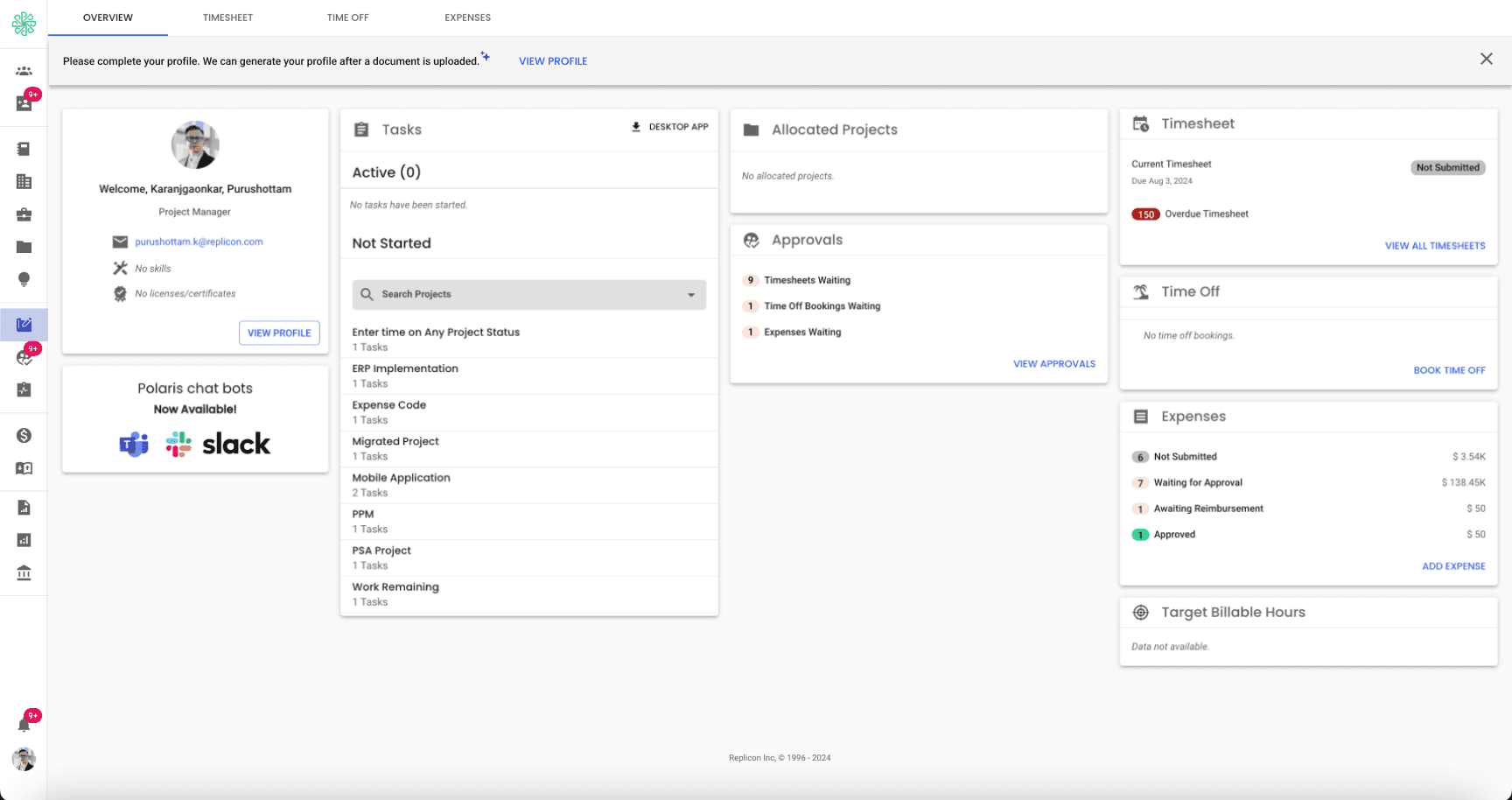
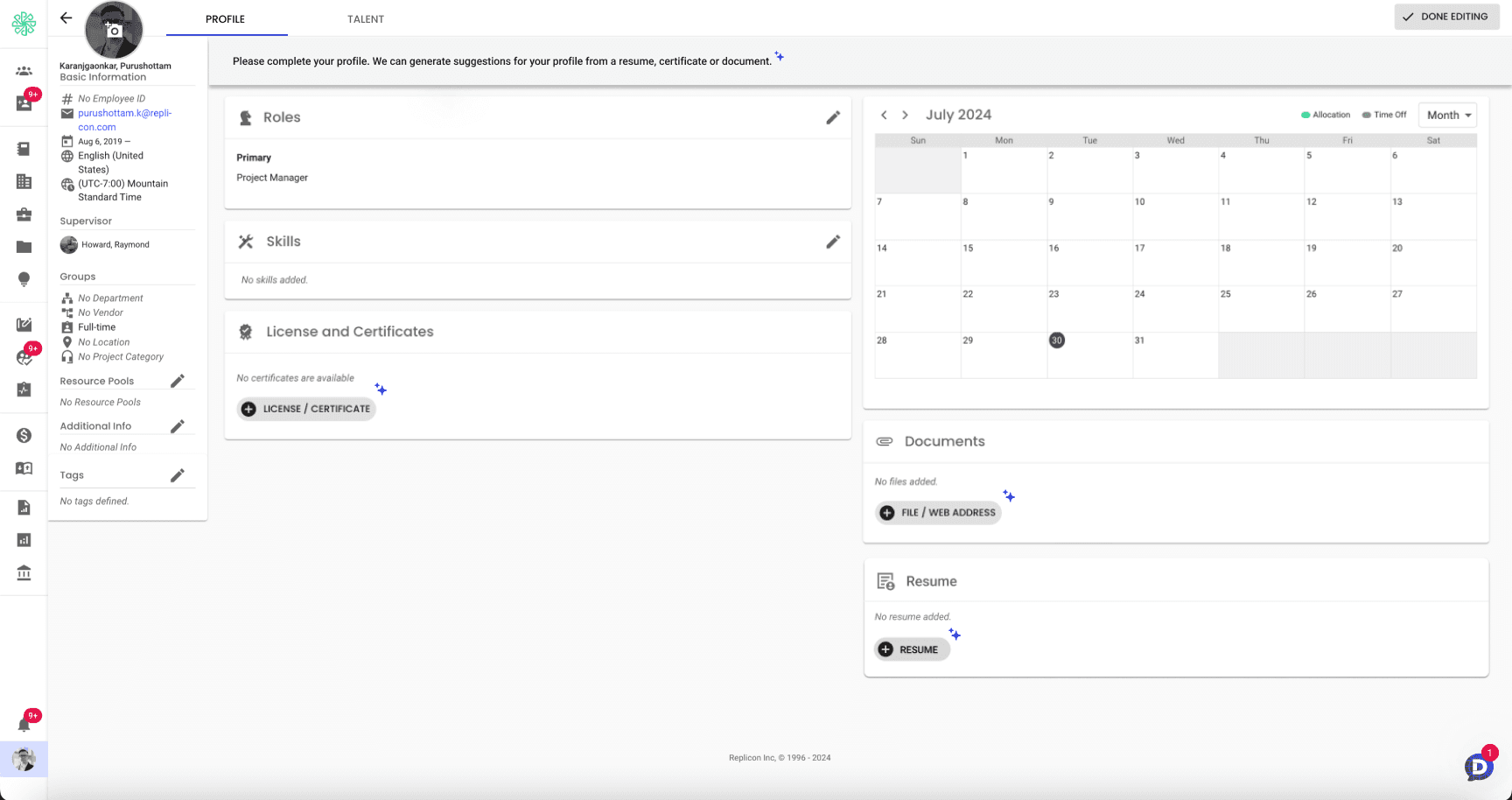
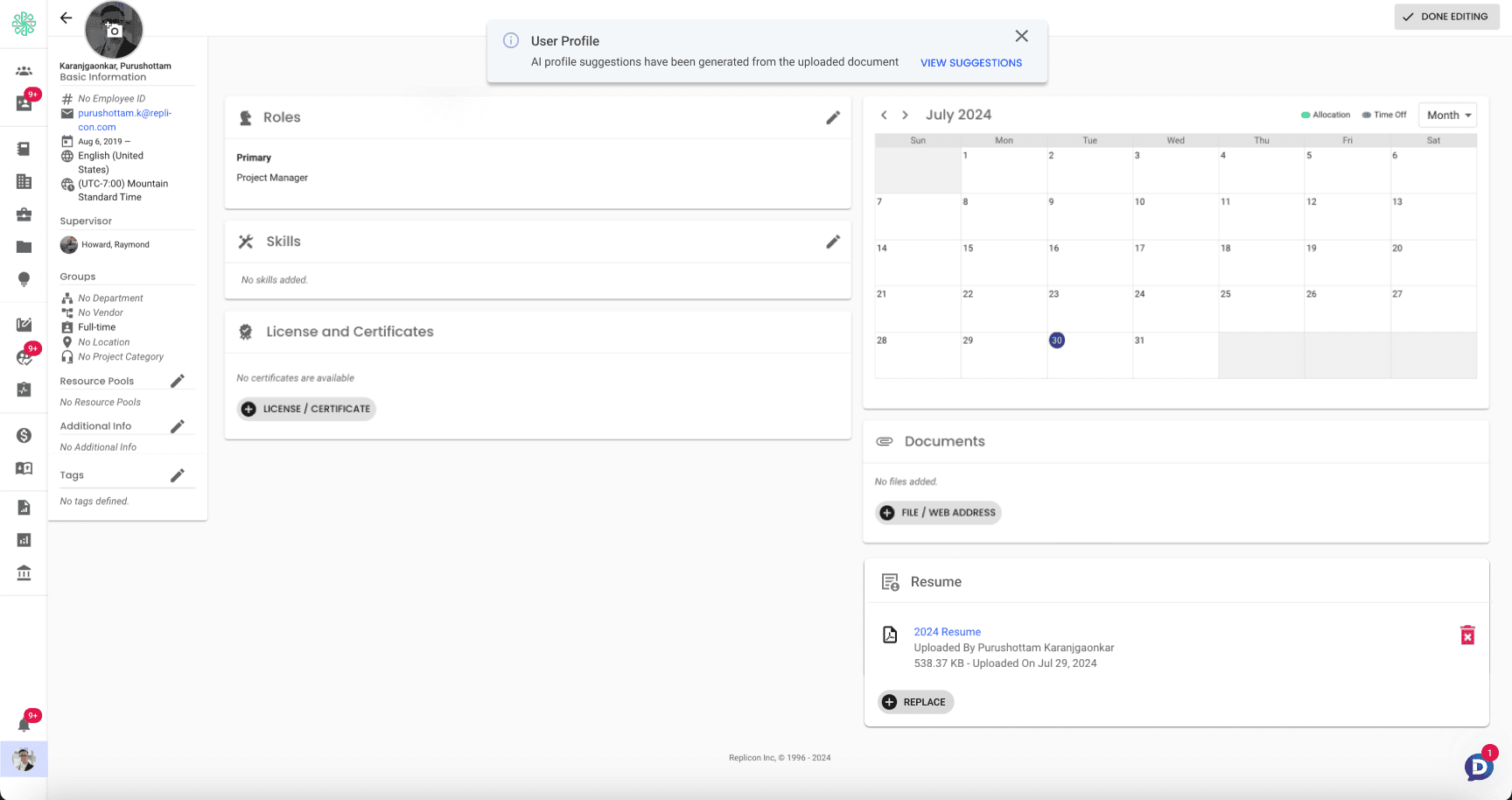
Our product, Polaris needed richer user profiles to power better resource and task matching, but most profiles sat half-empty. Nobody wants to retype their resume into form fields. I designed an AI-assisted flow that extracts profile data from an uploaded resume and turns data entry into a quick review-and-confirm task.
Problem
Profile completion was low because the cost was high: Upwards of 20 fields of manual entry, most of it information users had already written somewhere else. The result was bad matches, and underutilized resources.
Constraints
Resume formats vary wildly, so the extraction had to fail gracefully, not just succeed on clean PDFs.
AI-populated data couldn't silently overwrite what users had entered themselves.
If there were skills pulled from a resume that didn't match our system, it needed to identify and create that.
The solution needed to reduce effort while maintaining user trust and control.
Key Decisions
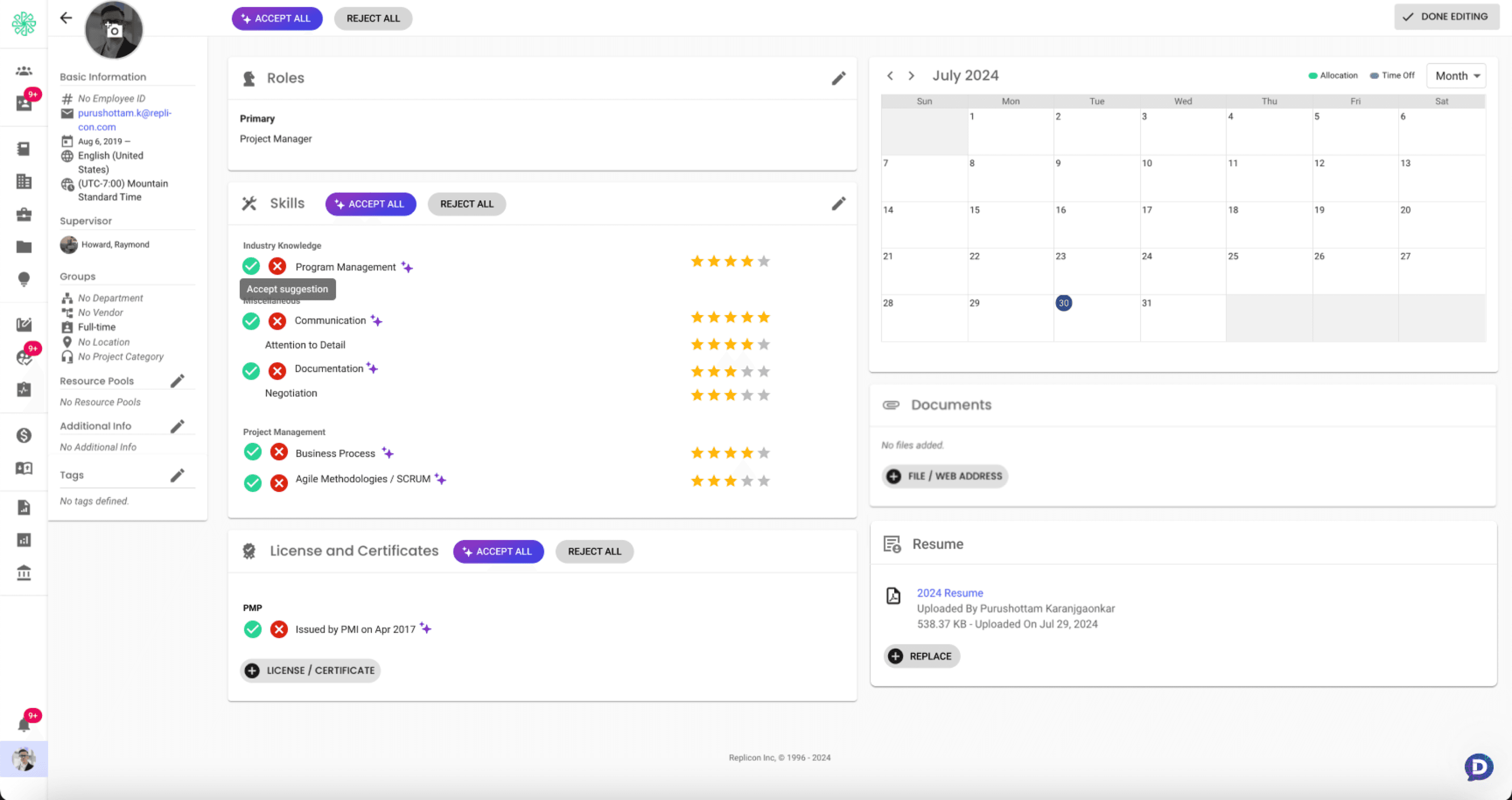
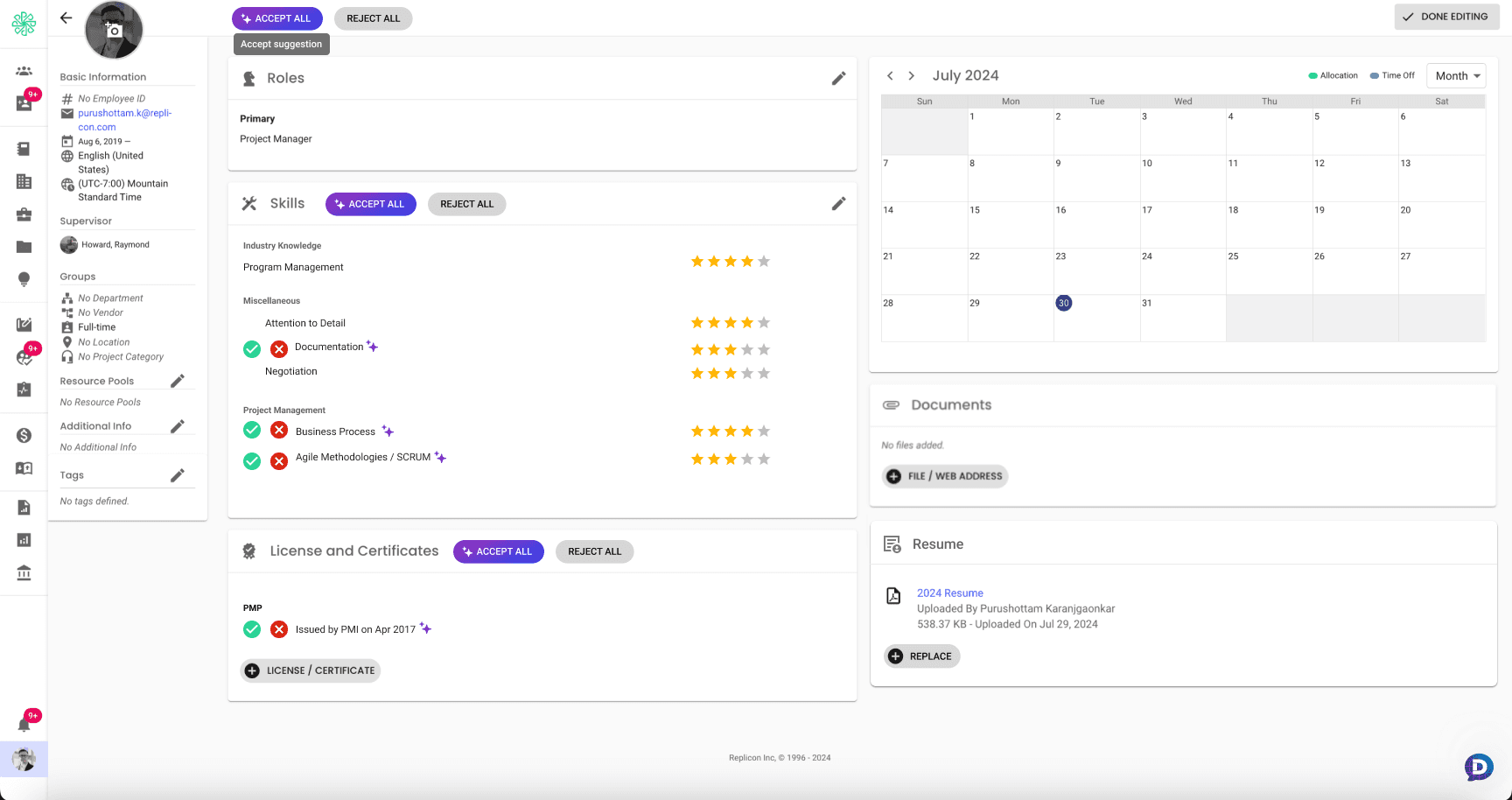
Early on, we considered auto-accepting high-confidence fields. Testing showed users didn't trust data they hadn't seen land, so every extracted field goes through an explicit confirm step. Slightly slower, dramatically more trusted.
AI-generated and manually entered data look different in the UI. We wanted to highlight the skills/entries pulled by AI alongside any existing manual data. After rejecting full-text highlights and having separate sections, I opted for small sparkle icons, and the accept/reject buttons naturally distinguished the AI data from the manual ones. Users were able to quickly understand the difference. This became the trust backbone of the feature.
We deliberately rejected a conversational approach here. Filling a profile is a structured task; embedding AI assistance inside the existing flow beat bolting a chat window onto it. (I made the opposite call on Dela. See that case study for when a chatbot is the right answer.)
Try the flow → Upload a resume, watch the extraction, and review each AI suggestion the way a real user would.
AI proposes, the user disposes.
Recreated demo, rebuilt from scratch in Lovable, production data and branding removed. Interaction reference only.
How I worked
I used Claude to generate realistic edge-case resumes (unusual formats, career gaps, non-linear paths) so I could test the extraction UI against messy real data instead of clean placeholder content.
I built the review-and-confirm flow as a working prototype in Firebase Studio so usability participants corrected real AI-extracted fields instead of imagining it.
The AI generated prototype kept pushing a chatbot interface, which I decided against because the review and confirm flow was faster and kept the users in context.
Outcome
Profile completion rose ~50%: Product analytics compared completed-field rates before and after the feature implementation.
Users built profiles ~40% faster: Based on time-on-task in usability sessions.
User testers said this was a faster and easier way to complete their profiles.
The VP of product was impressed with my decision not to do everything through the chatbot.